السلام عليكم ورحمة الله وبركاته
برنامجي عباره عن سيرفر يقدم خدمة البيع لأكثر من كلاينت
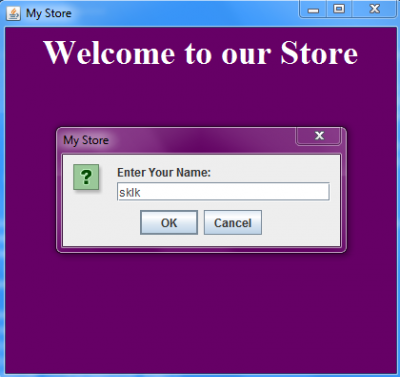
اول مايتصل الكلاينت بالسيرفر يظهر له انترفيس يطلب منه اسمه وبعدين الاسم يترسل للسيرفر عشان ينشئ للكلاينت new customer object باسم الكلاينت هذا
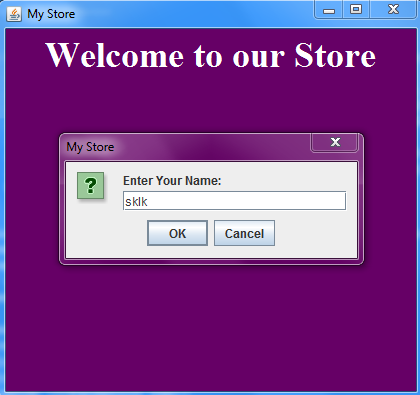
المشكله ان الأوامر من الكلاينت ماتوصل للسيرفر ما يطلع لي اي شي بعد ما ادخل اسم الكستمر ومو عارفه المشكله دي ايش سببها اتاكدت من طريقة تعريف السيرفر والكلاينت وال IO بينهم ومافيها اغلاط
لو في أحد ممكن يساعدني في اني اعرف مكان الخطأ
كلاس الكلاينت
public class Client1{
public static String host = "localhost";
public static int port = 1237;
public static Socket clientSocket = null;
public static PrintWriter out = null;
public static BufferedReader in = null;
static String name=null,output,input;
static JLabel jLabel2;
static String items=null, a;
double t=0.0;
public static void main(String[] args) throws IOException {
try { // connect the client to the server
clientSocket = new Socket(host, port);
out = new PrintWriter(clientSocket.getOutputStream(), true);
in = new BufferedReader(new InputStreamReader(clientSocket.getInputStream()));
// create the interface the panel
Panel panel=new Panel();
// the panel background color
panel.setBackground(new Color(102, 0, 102));
// create label to put on it welcome message
JLabel label=new JLabel();
// set label properties
label.setFont(new java.awt.Font("Times New Roman", 1, 36)); // NOI18N
label.setForeground(new Color(255, 255, 255));
label.setText("Welcome to our Store");
// add the label to the panel
panel.add(label);
// create frame to add the panel to it
JFrame frame = new JFrame("My Store");
// add the panel to the frame
frame.getContentPane().add(panel);
// set frame properties
frame.setDefaultCloseOperation(JFrame.EXIT_ON_CLOSE);
frame.pack();
Dimension screenSize = Toolkit.getDefaultToolkit().getScreenSize();
int height = screenSize.height;
int width = screenSize.width;
frame.setSize(width/3, height/2);
frame.setLocationRelativeTo(null);
frame.setVisible(true);
// here we receive the customer name to create customer with his name
name=JOptionPane.showInputDialog(null,"Enter Your Name: ","My Store",JOptionPane.QUESTION_MESSAGE);
//System.out.println(name);
// send the creating customer request to the server
out.print("customer_"+name);
out.flush();
// read the server response
input=in.readLine();
//System.out.println(input);
// show the response message to the user
JOptionPane.showMessageDialog(null, null, input, 1);
// create buttons to allow user to get a shopping cart
JButton jButton1= new JButton();
jButton1.setFont(new java.awt.Font("Times New Roman", 1, 14)); // NOI18N
jButton1.setText("Get Shopping Cart");
// set the action when the button clicked
jButton1.addMouseListener(new java.awt.event.MouseAdapter() {
public void mouseClicked(java.awt.event.MouseEvent evt) {
try{
// send the request of creating cart to the server
out.println("shoppingCart");
// read the server response
input=in.readLine();
// show the response message to the user
JOptionPane.showMessageDialog(null, null, input, 1);
}catch(IOException e){}
}
});// cart button
// add the button to the panel
panel.add(jButton1);
frame.add(panel);
//....................................
// here create new panel to show the user his options after getting the cart
Panel panel2=new Panel();
panel2.setBackground(new Color(102, 0, 102));
// create label to put on it welcome message and set its properties
label.setFont(new java.awt.Font("Times New Roman", 1, 36)); // NOI18N
label.setForeground(new Color(255, 255, 255));
label.setText("Welcome to our Store");
// add the label to the panel
panel2.add(label);
//..............
// define and add button to let user view store items
JButton viewButton=new JButton();
viewButton.setFont(new java.awt.Font("Times New Roman", 1, 14)); // NOI18N
viewButton.setText("View Store Items");
viewButton.addActionListener(new java.awt.event.ActionListener() {
public void actionPerformed(java.awt.event.ActionEvent evt) {
try{
out.println("view");
out.flush();
// get answer
items=in.readLine();
// display the answer
jLabel2.setText("The Store items is:\n\n"+items);
}catch(IOException ee){}
}
});
// add the button to the panel
panel2.add(viewButton);
//***************
// define and add button to let user buy items
JButton addButton=new JButton();
addButton.setFont(new java.awt.Font("Times New Roman", 1, 14)); // NOI18N
addButton.setText("Buy Item");
addButton.addActionListener(new java.awt.event.ActionListener() {
public void actionPerformed(java.awt.event.ActionEvent evt) {
try{
// show dialog to get item number to buy it
a=JOptionPane.showInputDialog(null,"Enter the item number as shown in the view item list","Add Item",1);
// send it to the server
out.println("add_"+a);
//read server response
input=in.readLine();
// display it to the user
JOptionPane.showMessageDialog(null, null, input, 1);
}catch(IOException t){}
}});
//add the button to panel 2
panel2.add(addButton);
//************************
// define and add button to let user view his items
JButton myButton=new JButton();
myButton.setFont(new java.awt.Font("Times New Roman", 1, 14)); // NOI18N
myButton.setText("View Your Items");
myButton.addActionListener(new java.awt.event.ActionListener() {
public void actionPerformed(java.awt.event.ActionEvent evt) {
try{
// send request to the server
out.println("myitems");
// get answer
input=in.readLine();
// display the answer
jLabel2.setText("You have buyes:\n\n "+input);
}catch(IOException t){}
}});
// add to the panel2
panel2.add(myButton);
//**************************
//*****************
// define and add button to let user get his total price
JButton priceButton=new JButton();
priceButton.setFont(new java.awt.Font("Times New Roman", 1, 14)); // NOI18N
priceButton.setText("Get Total price");
priceButton.setToolTipText("");
priceButton.addActionListener(new java.awt.event.ActionListener() {
public void actionPerformed(java.awt.event.ActionEvent evt) {
try{
// send the request to the server
out.println("total");
// get answer
input=in.readLine();
// display the price
JOptionPane.showMessageDialog(null, null,"The Total Price is: "+ input, 1);
}catch(IOException t){}
}});
panel2.add(priceButton);
///.............................................
// define and add button to let user exit the store
JButton exButton=new JButton();
exButton.setFont(new java.awt.Font("Times New Roman", 1, 14)); // NOI18N
exButton.setText("Exit");
exButton.addActionListener(new java.awt.event.ActionListener() {
public void actionPerformed(java.awt.event.ActionEvent evt) {
try{
// show message to get sure that he want to exit
int f=JOptionPane.showConfirmDialog(null,"Do You want to exit? ","Exit",0, 3);
if(f==1){// if he want to exit
//send request of exit to the server
out.println("done");
// get answer
input=in.readLine();
// display it
JOptionPane.showMessageDialog(null, null, input, 1);
evt.notifyAll();
}
}catch(IOException ee){}
}});
// add the button to panel2
panel2.add(exButton);
//...............
// here we add another label as an empty space to show the results
jLabel2 =new JLabel();
jLabel2.setFont(new java.awt.Font("Times New Roman", 1, 18)); // NOI18N
jLabel2.setForeground(new java.awt.Color(255, 255, 255));
jLabel2.setHorizontalAlignment(javax.swing.SwingConstants.CENTER);
jLabel2.setText("Space to show the results");
jLabel2.setBorder(javax.swing.BorderFactory.createEtchedBorder(javax.swing.border.EtchedBorder.RAISED, java.awt.Color.white, java.awt.Color.white));
jLabel2.setHorizontalTextPosition(javax.swing.SwingConstants.CENTER);
panel2.add(jLabel2);
//&&&&&&&&&&&&&&&&&&&&&&&&&&&&&&&&&&&&&&&&&&&&&&&&&&&&&&&&&7
// remove panel from the frame
frame.remove(panel);
// add panel2 to the frame
frame.add(panel2);
// exception for the connection failure
}catch (UnknownHostException e) {
System.err.println("Don't know about host:" + host);
System.exit(1);
} catch (IOException exp){
System.err.println("Couldn't get I/O for the connection to:" + host);
System.exit(1);
}
}//main
}//client1
كلاس السيرفر
public class MallServer {
public static ServerSocket serverSocket = null;
public static Socket clientSocket = null;
public static ServerProcessor processor;
public static void main(String[] args){
processor =new ServerProcessor();
int port = 1237;
// create the connection
try {
serverSocket = new ServerSocket(port);
while(true){
clientSocket = serverSocket.accept();
storeThread mine = new storeThread(clientSocket);
mine.start();
try{
mine.join();
}catch(InterruptedException es){}
}
}catch(IOException e){
System.err.println(e.getMessage()); }
} // main
}//MallServer
// thread to make the server serve more than one client
class storeThread extends Thread{
Socket client;
static PrintWriter out = null;
static BufferedReader in = null;
String inputLine = null;
public storeThread(Socket client){
this.client = client;
}//end myThread Constructor
public void run(){
try {
out = new PrintWriter(client.getOutputStream(), true);
in= new BufferedReader(new InputStreamReader(client.getInputStream()));
// read client inputs
inputLine = in.readLine();
while ((inputLine = in.readLine())!= null) {
// check the request kind
if (inputLine.startsWith("customer")) {
MallServer.processor.createcustomer(inputLine);
out.println(" you are in the store");
}else if (inputLine.startsWith("shoppingCart"))
{
MallServer.processor.getCart();
out.println(" the cart has been added");
}
else if (inputLine.startsWith("view")) {
out.println(MallServer.processor.view());
}else if (inputLine.startsWith("add")) {
MallServer.processor.buyitem(inputLine);
out.println("item has been added");
}else if (inputLine.startsWith("total")) {
String t= Double.toString((MallServer.processor.total()));
out.println(t);
}
else if (inputLine.startsWith("myitems")) {
out.println(MallServer.processor.viewMyitems());
}
else if (inputLine.startsWith("done")) {
out.println(MallServer.processor.DONE());
break;
}
out.flush();
}//while
} catch (IOException e) { // for big try
e.printStackTrace();
}finally{
//try{
//out.close();
//in.close();
//MallServer.clientSocket.close();
//MallServer.serverSocket.close();
////}catch (IOException e) { // for big try
//e.printStackTrace();}
}
}//end run
}//end myThread class
كلاس السيرفر بروسيسور << هنا تتنفذ العمليات اللي يسويها السيرفر
public class ServerProcessor {
static LinkedList <Item> sitems=null;
static LinkedList <Item> myitems=null;
String s=null,uu=null;
static Store store;
static ShoppingCart sh=null;
static Customer c=null;
public ServerProcessor (){
sitems = new LinkedList<Item>();
myitems = new LinkedList<Item>();
// create stores in the store we here
store=new Store("Jeddah Mall ");
// create store items and add it to the store
Item game1=new Item(1,"fulla",90.0);
store.addItem(game1);
Item game2=new Item(2,"D chessboard",250.0);
store.addItem(game2);
Item game3=new Item(3,"havana",300.0);
store.addItem(game3);
Item shoe1=new Item(4,"D puma",400);
store.addItem(shoe1);
Item shoe2=new Item(5,"D adidas",300);
store.addItem(shoe2);
Item shoe3=new Item(6,"Nike",90);
store.addItem(shoe3);
Item book1=new Item(1,"D ITfundemital",300.50);
store.addItem(book1);
Item book2=new Item(2," CSfundemital",200.0);
store.addItem(book2);
Item book3=new Item(3,"ISfundemital",250.0);
store.addItem(book3);
}//constructor
public void createcustomer(String name){
// create the customer
c=new Customer(name);
// enter him to the store
store.enter(c);
}
//..................
public void getCart(){
// create shopping cart
sh= store.getShopping();
// add the shopping cart to the customer
c.addShoppingCart(sh);
}//shoppingCart
//..........................
public String view(){
// get the store items and save it in item linked list
sitems =store.items();
// get all items number and name and put them in a string
for(int i=0;i< sitems.size();i++){
s=s+"Item number: "+sitems.indexOf(sitems.get(i))+" Item name: "+sitems.get(i).itname+" \n\n\n";
}
// send them back to the server
return s;
}
//...........................
public void buyitem(String s){
// to sperate the item number from the first word add
StringTokenizer tokenizer = new StringTokenizer(s,"_");
s=tokenizer.nextToken();
// change the item number into integer
int itID=Integer.parseInt(s);
// get store items in items linked list
sitems =store.items();
// get the item that the customer want
Item item= sitems.get(itID);
// add it to customer cart
sh.addItem(item);
}
//...................................
public double total(){
double t=0.0;
// get the customer items and calculate the price using the Shooping cart method
t=sh.totalprice();
return t;
}
//.....................................
public String viewMyitems(){
//put all user items in an item linked list
myitems =sh.items();
// get all user items number and name in a string
for(int i=0;i< myitems.size();i++){
uu=s+"Item number: "+myitems.indexOf(myitems.get(i))+" Item name: "+myitems.get(i).itname+" \n\n\n";
}
// return it to the server
return uu;
}
//...................................
public String DONE(){
store.exit(c);
return "thanks for visiting us";
}
}//server processor
وفيه كلاسات ثانيه اللي هيا تنشئ الستور بس هذي الكلاسات الاساسيه
هذي صوره للرن بعد ماادخل الاسم البرنامج مايسوي اي شي ثاني
شكرا