السلام عليكم ورحمة الله وبركاته
أشار علي المشرف علاء الصالحي باستخدام حزمة لتحاكي المستعرض في موضوع سابق http://www.arabteam2...howtopic=243063
وقد بدأت فعلا في استخدامها وأريد اتقان التعامل مع هذه الحزمة لذلك رأيت أن أكتب موضوع جديدا باسم هذه الحزمة بدلا من الاستمرار في الموضوع السابق
رابط المشروع prowser
http://prowser.sourceforge.net/
أولا : تعريف المتغيرات التالية
Prowser prowser = new Prowser();
Tab tab = prowser.createTab();
Request request;
Response response;
ثانيا : كتبت الامران التاليان
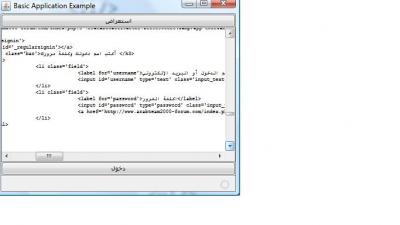
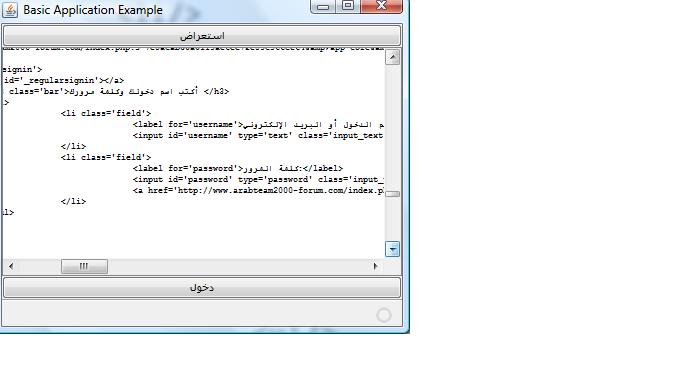
الامر الاول يستعرض صفحة الدخول للفريق العربي للبرمجة
الامر الثاني يمرر اسم المستخدم وكلمة المرور للموقع (لم استطع اكمال هذا الامر)
@Action
public void browse() {
try {
//الرابط التالي هو صفحة الدخول للفريق العربي
request = new Request("/index.php?app=core&module=global§ion=login");
//طلب الصفحة
response = tab.go(request);
//عرض مصدر الصفحة في المربع النصي
String html = response.getPageSource();
ta.setText(html);
} catch (URISyntaxException ex) {
Logger.getLogger(ProwserView.class.getName()).log(Level.SEVERE, null, ex);
}
}
@Action
public void enter() {
//كيف امرر اسم المستخدم وكلمة المرور واضغط على زر الدخول
request.setHttpMethod("POST");
request.addParameter("username", "myusername");
request.addParameter("password", "mypassword");
response = tab.go(request);
String html = response.getPageSource();
ta.setText(html);
}
النموذج الخاص بالدخول على الفريق العربي من مصدر صفحة الدخول هو
/index.php?app=core&module=global§ion=login
<form action="/index.php?app=core&
module=global§ion=login&do=process" method="post" id='login'>
<label for='username'>اسم الدخول أو البريد الإلكتروني: </label>
<input id='username' type='text' name='username' />
<label for='password'>كلمة المرور:</label>
<input id='password' type='password' name='password' />
<input type='submit' class='input_submit' value='دخول' /> او
</form>
ذكر في الصفحة التالية أنه يمكن استخدام الحزمة للدخول على البنوك مثلا ولكني لم اعرف اطبق ذلك ، مع التوجيه للصفحة التالية http://prowser.sourc...t(java.io.File)
To submit a web form and retrieve the resulting page (e.g., logging into your bank account), you can use the pertinent methods to configure a Request object with the proper URL, HTTP method (e.g., POST) and form field values. However, you also have the option of specifying the request's configuration in a request file, which can be set up once and used repeatedly without having to configure the request programmatically. See this Request constructor for more information.
مرفق المشروع بهيئة netbeans
والحزمة prowser